What Is Onside? How the Alternative iOS App Store Works
Jun 3, 2026•10 min read
Last updated: June 2026 — applies to EU and Japan users running iOS 18.6+ or iPadOS 18.6+.
Quick Answer
Onside is an alternative iOS app marketplace for iPhone and iPad that lets users in supported regions — the European Union and Japan — install apps outside Apple's main App Store. It is not a jailbreak tool; it operates through Apple's official alternative marketplace framework and focuses on exclusive apps, lower developer fees, and more open distribution.
Introduction
Onside is an alternative iOS app store for iPhone and iPad that lets users install exclusive apps. In simple terms, it is a marketplace outside Apple's main App Store, designed to give users more choice and developers more flexibility.
This guide explains what Onside is, how it works, where it is available, why it exists, and how it differs from Apple's App Store — including whether it's safe and legal to use. For more on the regulatory context that makes Onside possible, see the official Onside Store documentation.
What Is Onside?
Onside is an alternative app marketplace for iOS and iPadOS. It gives users another way to discover, install, and update apps on supported Apple devices without going through Apple's main App Store.
For users, the core value is straightforward: Onside offers access to apps that may be exclusive to its platform or unavailable through Apple.
For developers, Onside positions itself as a lower-fee, more flexible distribution channel compared to Apple's centralized model — a direct response to the implications of Apple's App Store monopoly for both creators and users.
Important distinction: Onside is not a jailbreak tool. It is designed to operate through the alternative marketplace framework that Apple has made available in certain regions, meaning users do not need to modify or unlock their device to use it.
How Onside Works on iOS
Onside functions as a separate marketplace app that users install directly from the web rather than downloading it from Apple's App Store. The installation process is designed to be accessible to regular iPhone users.
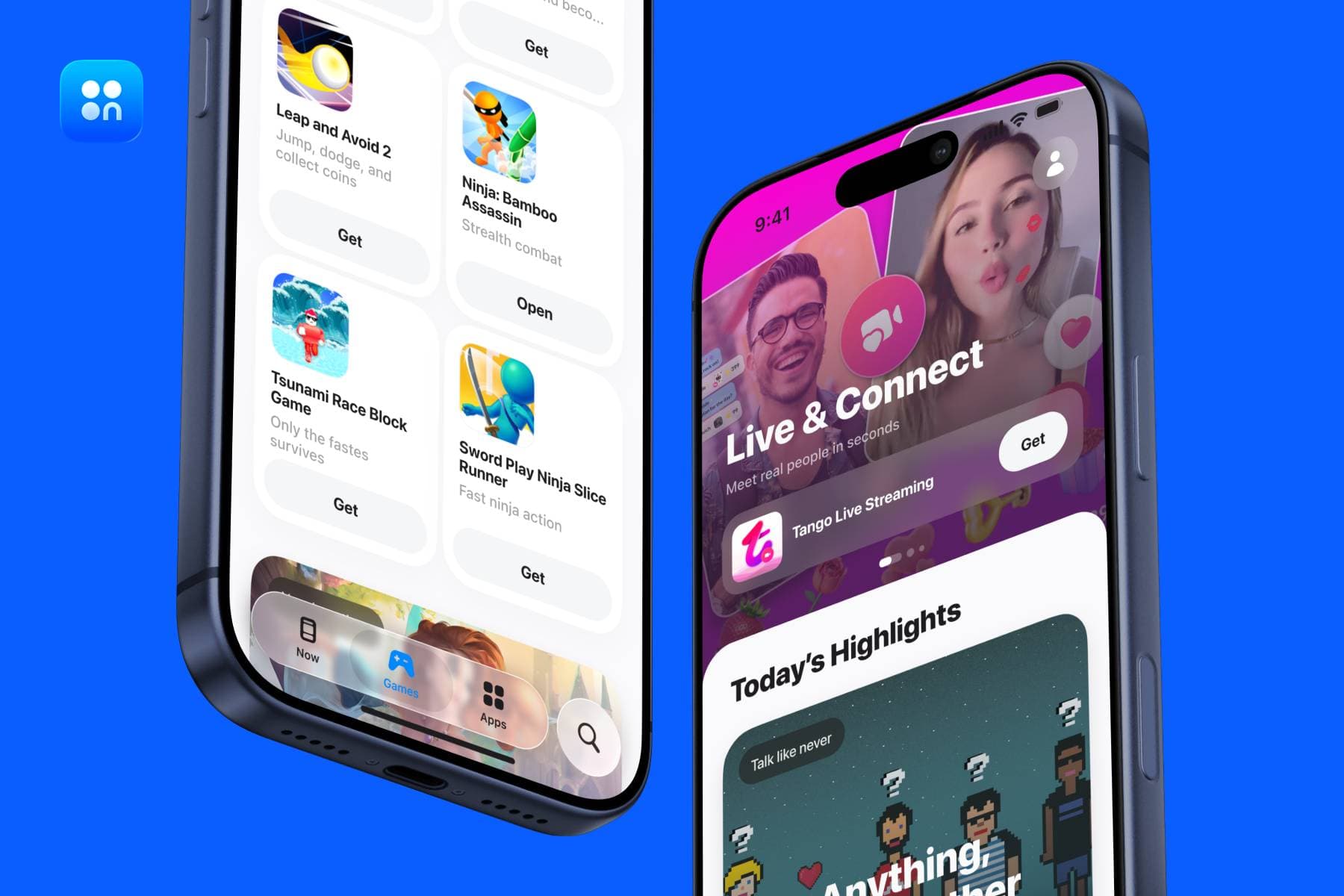
Once installed, Onside operates much like a standard marketplace app. You can browse app listings, read descriptions, view ratings and reviews, and install supported apps from within the storefront. The platform also states that the store and its installed apps can update automatically when automatic downloads are enabled in device settings.
Onside also emphasizes a curated experience — editorial collections, detailed app pages, and synced ratings — making it feel closer to a polished storefront than a raw sideloading utility. For a detailed look at how iOS sideloading has evolved and why alternatives like Onside exist, see our article on whether sideloading is the answer to Apple's App Store monopoly.
Requirements & Compatibility
Before attempting to install Onside, users should confirm the following four prerequisites:
- Device: iPhone or iPad (recent model)
- Software: iOS 18.6+ or iPadOS18.6+
- Region: EU or Japan Apple ID
- Browser: Safari or Chrome
- Users need to be physically present in the EU or Japan
Geographic eligibility is the most important limitation. If your Apple ID region or physical location do not match a supported market, Onside may not install or behave as expected. Full compatibility details are available in the official Onside Store documentation.
How to Install Onside Step by Step
- Visit the official Onside website — Open Safari or Chrome on your supported iPhone or iPad and navigate to Onside's official site. Do not use third-party download pages.
- Tap the install button — The site will display an install prompt. Tap it to begin the marketplace download flow.
- Approve the iOS system prompts — iOS will display one or more permission dialogs. Approve them to allow the alternative marketplace installation to proceed.
- Confirm with Face ID or Apple ID password — Authenticate when prompted. This is standard for any marketplace installation on iOS.
- Open Onside and start browsing — Once installed, open the Onside Store app and immediately browse, search, and install apps from its catalog.
Security tip: Always install Onside from its official website only. Avoid third-party download links, mirror sites, or pages found through search ads.
Where Onside Is Available (EU & Japan)
Onside is not a worldwide replacement for the App Store. Its availability is tied to specific regions where Apple's regulatory environment permits alternative marketplace distribution.
According to Onside's public materials, the marketplace is designed for users in:
- European Union — where the Digital Markets Act (DMA) requires Apple to allow alternative marketplaces on iOS. For a detailed breakdown of what this regulation means in practice, see: EU's DMA set a precedent for competitiveness in alternative app marketplaces.
- Japan — where regulatory changes under the Mobile Software Competition Act (MSCA) have similarly opened iOS to third-party app distribution.
This is a critical point for users in the United States. Standard US Apple ID accounts are not currently eligible. TechCrunch notes that Onside is one of the few stores operating across both the EU and Japan, making it one of the broadest alternative iOS distribution platforms currently available.
Why Onside Exists: Fees, Flexibility, and Freedom
Onside exists because many developers want an alternative to Apple's traditional distribution model. Apple's App Store has long been the only official way to reach iPhone and iPad users — but it comes with commission structures, review policies, and content rules that some developers find restrictive.
As explored in depth in Apple's monopoly and its implications on developers and consumers, the standard App Store commission of 15–30% has long forced developers to either raise prices or absorb costs at the expense of product investment. The DMA changed this dynamic in the EU — and Onside was built to take full advantage of that shift.
The evolution of Apple's advertising tools, including the shift from SKAdNetwork to the AdAttributionKit (AAK), also affects how developers measure performance outside the App Store — making a predictable alternative distribution channel like Onside increasingly valuable.
What Onside offers developers:
- Lower commissions compared to Apple's standard 15–30% fee model
- More control over payments and in-app purchase flows
- Faster publishing with fewer bureaucratic delays
- Fewer content restrictions for lawful apps
What that means for users:
- Lower marketplace fees can translate into lower prices or better subscription value
- More open distribution means access to apps that are unavailable, delayed, or limited on Apple's App Store
- An independent marketplace creates more competition in the iOS ecosystem
Onside vs. Apple's App Store: Key Differences
| Feature | Onside | Apple's App Store |
|---|---|---|
| Availability | EU & Japan only | Worldwide |
| Installation | Via browser (official website) | Pre-installed on all iPhones |
| Developer fees | 10% | 15–30% commission |
| App review | Moderation & malicious content | Strict centralized review |
| Exclusive apps | Yes | Not applicable |
| Requires jailbreak | No | No |
| Payment options | Bank card, Apple Pay | Apple's commerce system |
| Distribution model | Open, developer-flexible | Centralized, tightly curated |
Is Onside Safe and Legal?
In supported markets, the answer is yes — with some important context.
Legality: Onside's model is tied directly to the regulatory frameworks that permit alternative app distribution in the EU and Japan. In those markets, using Onside is not equivalent to jailbreaking an iPhone. It operates within the legal parameters Apple has established for alternative marketplace distribution in those regions. For a thorough look at the security implications, see: DMA Cracking Open iOS Walled Garden: What it means for iOS Security.
Safety measures Onside states it applies:
- App moderation and virus checking for listed apps
- Privacy-focused design with no unnecessary data collection
- No sharing of user data with third parties
- Secure payment options including Apple Pay and bank card
What users should still do:
- Install Onside only from the official Onside website
- Read app descriptions and check permissions before installing anything
- Stick to apps from developers you recognize or that have strong review scores
In supported markets, Onside is a legitimate, non-jailbreak alternative marketplace. Treat it with the same informed scrutiny you would apply to any new platform.
FAQ
What is Onside?
Onside is an alternative iOS app marketplace for iPhone and iPad. It lets users in supported regions — primarily the EU and Japan — install apps outside Apple's main App Store, including exclusive apps and subscription offers not available through Apple.
Is Onside a real alternative to the Apple App Store?
Yes. Onside is designed as a separate marketplace that gives users another way to discover, install, and update apps on supported Apple devices. It does not replace Apple's App Store everywhere, but it provides a parallel distribution option in the markets where it operates.
Can I use Onside if I live outside the EU?
Onside's official availability is tied to supported regions, especially the EU and Japan. If you are in the United States or another unsupported market — particularly with a US Apple ID — Onside may not install or work as intended.
Does Onside require jailbreaking my iPhone?
No. Onside works through the official alternative marketplace installation framework. Unlike older workarounds covered in our article on iOS sideloading, you do not need to jailbreak or modify your device in any way.
Is Onside safe to use?
In supported markets, Onside is a legitimate, non-jailbreak iOS marketplace. The platform states that apps go through moderation and that it does not collect unnecessary user data. For the security context, read: DMA Cracking Open iOS Walled Garden: What it means for iOS Security.
Why does Onside cost less than the App Store for some apps?
Onside charges developers lower commissions than Apple's standard 15–30% model. When developers pay less to distribute their apps, some pass those savings on to users in the form of lower prices or more competitive subscription rates. See the full breakdown in Apple's monopoly and its implications on developers and consumers.
The Bottom Line
Onside is a legitimate alternative iOS app store that gives iPhone and iPad users in the EU and Japan another way to install apps. It stands apart from Apple's App Store through its focus on exclusive apps, lower developer commissions, more open distribution, and a browser-based installation flow that does not require jailbreaking. For anyone asking what Onside is, the simplest answer is this: it is a real alternative iOS marketplace built to expand choice for users and flexibility for developers — within the legal frameworks of supported markets.
Related Articles (Internal Links)
- Is sideloading the answer to Apple's App Store marketplace monopoly?
- Apple's monopoly and its implications on developers and consumers
- EU's DMA set a precedent for competitiveness in alternative app marketplaces
- DMA Cracking Open iOS Walled Garden: What it means for iOS Security
- From App Tracking Transparency to AdAttributionKit: What is Apple doing for advertisers?
Word count: ~1,200 words | Reading time: ~10 minutes | Internal backlinks: 8 | External authority links: 3 | Last updated: June 2026